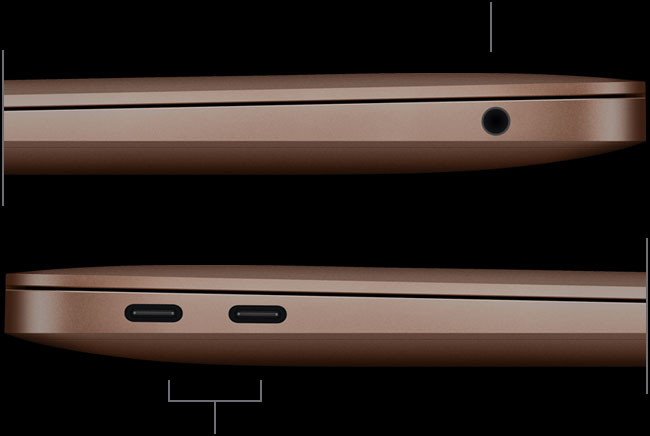
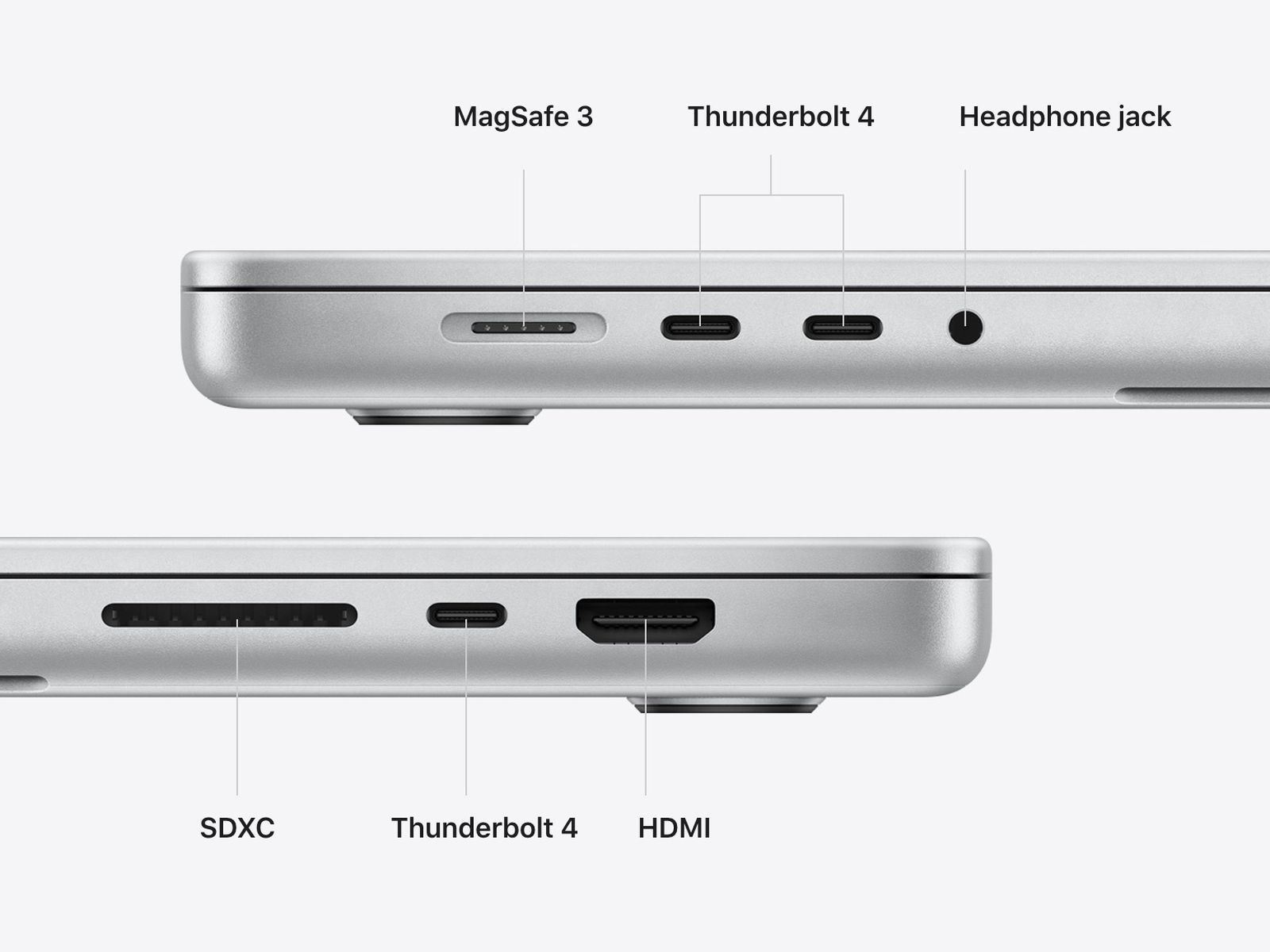
I don't think a MacBook Air M1 has a lot places to add ports [0]. The latest generation of MacBook Pros bring a lot of the ports back [1], so that point doesn't hold anymore.
Also, of all the MacBook Air users I know, I'm the heaviest user in terms of processor load, and given that it's the company computer, it wouldn't be my first choice for a personal MacBook (in fact, I have a personal MacBook Pro).
At the end of the day, having a featherweight computer which can do all my work related tasks and some heavier stuff and doesn't needs its charger and ports most of the time is really a spoiling thing. However, for heavy development and photographic work, nothing beats on board ports and a bigger screen.
Reporting from my MacBook Air M1, there's actually not enough thickness. The (male) plug itself is as thick as the side of the laptop. Considering the (female) socket's size & surrounding machinery, the Air needs to be at least 20% thicker to accommodate a USB-A port.
The back edge is more than twice as thick as a USB C opening, which is 2.65mm. Unless this picture is wrong, that should be visibly thicker than an A plug...
But whatever, whether it fits or not with the current molding, the laptop does not need to be thicker to fit those ports. It just needs to change the curve near the back. Look how thick the middle is between the ports it has. That's way more than enough. Thickness including screen peaks at 16mm.
> Unless this picture is wrong, that should be visibly thicker than an A plug...
Just re-measured with a USB flash drive and an actual MacBook Air M1 (which I'm actually typing this comment on), and it's not. Do you want a photograph with a caliper?
> But whatever, whether it fits or not with the current molding, the laptop does not need to be thicker to fit those ports. It just needs to change the curve near the back. Look how thick the middle is between the ports it has. That's way more than enough. Thickness including screen peaks at 16mm.
Actually, you can see in [0], there's no space to fit a full depth, full height USB-A port inside there. You need to make the machine definitely thicker to accommodate that ports, given all the shielding a USB-A port around it [1]. This is a listing for a straight port. You'll probably need a 90 degree version in a MacBook Pro, unless apple does something ingenious.
I don't understand what your first picture is supposed to show.
But let's go back to the side view you first linked. Would you really say that this distance is too shallow for a USB A port? https://i.imgur.com/OtqDMh1.png It's more than a centimeter.
The first image I shared is an underside of an M1 MacBook Air, cover removed. I attached it to show how insanely cramped inside.
The machine reaches that thickness under the keyboard. Around the middle Torx screw holding the screen hinges on the top of the image.You can of course carry the thickness like the MacBook Pros to the edge, but there are other problems.
USB-A ports are a bit thicker than the opening themselves. A proper, high quality port has some spring loaded shielding pressing towards the port opening and it flares out, Also, 90 degree ports have some distance between the port body and contacts, since you need to fix the port to the board via quite a few pins (9 pins on electronic side, plus at least two for retention, unless you clamp in down via a retainer, which needs screws, etc).
All of this "machinery" adds quite a space required to implement a USB-A port on a board. As you can see in the article itself, the hubs themselves use "through the board, unflared" ports to minimize space use as much as possible, and none of them are very slim.
The slimmest USB 3.0 hub I've seen is from Anker [0][1], which I also use almost daily. As you can see, you need to have that slack around that port. Same port on a laptop needs same amount of slack around [2][3]. My older MacBook Pro also has similar amount of slack around its USB-A ports.
All in all, a MacBook Air doesn't have the thickness and space to include that port, in its current form. We're always talking about thickness, but insertion depth is at least 15%-20% greater for USB-A too. Plus you need the depth required for supporting the pins on the plug side. That needs to be taken into account, too.