Hacker Newsnew | past | comments | ask | show | jobs | submitlogin
Ask HN: Robust and affordable alternatives to Google Play for app distribution?
87 points by m_kos on Dec 13, 2021 | hide | past | favorite | 37 comments
TL;DR: I am looking for a platform to distribute my dissertation research data collection Android app to ~50 adult study participants in the US. The most important features are the ability to quickly and reliably deliver app updates over one year, safety, affordability, and good UX (participants are non-technical Android users). I don't want to use Google Play Store.

To give you some context, for my dissertation project, I need to collect data using a custom Android research app installed on participants' phones for one year. The app requires a lot of permissions and continuously collects a lot of data. My colleagues discouraged me from using Play Store because Google banned their apps for no good reason and with no recourse, even though their research was approved by research ethics and human subject protections committees (IRB). This jeopardized their federally-funded studies and caused issues with their findings.

For this reason, I would like to distribute my app to ~50 adult study participants in the US using a different platform.

Four features are especially important to me. First, app updates need to be delivered reliably and relatively quickly over one year. Second, there can be no spyware, excessive tracking, unnecessary notifications, nudges to download other apps, and no annoying ads. Third, affordability is important because I would be paying for the distribution from my personal student savings. Finally, I would prefer a platform with good app update UX for non-technical users, including older adults.

So far, I have looked into APK Mirror, but according to their policy [1],

  > If your app is new, doesn't have a proven track record, and not
  > unique, it will likely not be approved.

I have also tried F-Droid, but at least on my Pixel 2 XL, updates of some apps downloaded from F-Droid often fail to install.

Would you have any recommendations on what other platforms I could look into?

Thank you.

[1]: https://www.apkmirror.com/faq/#What_is_the_purpose_of_APKMir...


Have you considered hosting the APK on your own website?

You would need to build your own update function, but it could be a periodic fetch of a version file, and if the version is newer, download the apk and when done prompt the user to upgrade, opening the (already downloaded) apk in the system installer if they agree. You might need to carefully select the location where you download the apk, I don't know if you can install an APK with the system installer from app specific storage or if it needs to be in the 'external' storage. Relevant, ten year old, stack overflow answer. [1]

Google does put some scary warnings when you install an APK directly, but with 50 people, you can probably walk them through that.

[1] https://stackoverflow.com/a/6085670


> Have you considered hosting the APK on your own website? You would need to build your own update function, but it could be a periodic fetch of a version file, and if the version is newer, download the apk and when done prompt the user to upgrade, opening the (already downloaded) apk in the system installer if they agree.

Apart from vending on F-Droid, this is what we do as our app is pretty much under perennial threat of a PlayStore ban.

1. We plonk the apk in a not us-east-1 Lightsail Object Store [0]. Smaller sized apks (if less than 25MB) can be instead stored in Workers KV, which comes with a generous free-tier. Or one can split larger apks (if less than 100MB) and join them in a single buffer in Workers before sending out.

2. Front it with Cloudflare Workers, and use their free-to-use Cache API [1] to avoid hitting the relatively expensive Lightsail endpoint often.

3. The app-update api-endpoint is also on Workers. Latest app version-code is stored in a Workers env-variable. The origin Lightsail path in a bucket is a hash(versioncode+salt).

This setup costs less than $1/mo and we drive multiple TB traffic, with only ~5GB hitting Lightsail.

Fly.io also has a neat CDN-esque solution for this [2], whilst GitHub's also a viable alternative [3]

[0] https://lightsail.aws.amazon.com/ls/docs/en_us/articles/buck...

[1] https://developers.cloudflare.com/workers/runtime-apis/cache

[2] https://community.fly.io/t/first-look-static-asset-caching/

[3] https://docs.github.com/en/repositories/releasing-projects-o...


Out of curiosity, what is your app (and would it be of interest to the HN audience?)


I co-develop an open source userspace firewall for Android: https://rethinkdns.com/app

> would it be of interest to the HN audience?

I guess it is: https://hn.algolia.com/?dateRange=all&page=0&prefix=true&que...


> I have also tried F-Droid, but at least on my Pixel 2 XL, updates of some apps downloaded from F-Droid often fail to install.

I've never experienced this issue when the app was originally downloaded from F-Droid (as opposed to apps downloaded from a different source). Apps in the default F-Droid repository are signed with F-Droid's signing key. Since apps signed with different signing keys cannot be automatically updated without manual uninstallation and reinstallation, apps in the default F-Droid repository can only be updated through F-Droid if it was originally installed via F-Droid.

Instead of using the default F-Droid repo, you can also set up your own F-Droid repo on your own server. This allows you to distribute the app through the F-Droid client, but signed with your own key instead of F-Droid's key. You would also have greater control over the release schedule, without needing to wait for the F-Droid build bot to release updates.

Repomaker instructions: https://www.f-droid.org/en/tutorials/create-repo/

Manual repo setup instructions: https://f-droid.org/en/docs/Setup_an_F-Droid_App_Repo/


In my case it sometime says an update is ready to install, bit when pressing the notification it says "There was a problem parsing the package". Another download seems to solve the issue, so it's more of an annoyance than anything.


I have that problem as well. Don't press the notification. Go directly to the fdroid app when you get a notification and update within the app. It will work.


If your concern is only around the possibility of being banned - do you know if your colleagues were using the Play Store test track[1]? I am not sure if their service agreement would allow this, but apps in the test track do not require a review. It supports up to 100 users and is fairly cheap (25 USD for the dev account registration). I understand this is not what you're asking for, but if you will be working with non-technical people, this may be worth looking at it...

[1] https://developer.android.com/distribute/best-practices/laun...


Thanks! Are you sure the test track doesn't require a review? Based on this comment [1], my impression was that it does, but I can be wrong, of course.

1. https://stackoverflow.com/questions/64296562/google-play-con...


I only used this feature once but it was instantaneous. The official doc [1] also also mentions "Quickly distribute your builds to a small set of trusted testers without the need to wait for app reviews."

[1] https://play.google.com/console/about/internal-testing/


I develop my company's Android app and we use internal testing and yes it is basically instant and requires no review


> my dissertation research data collection Android app

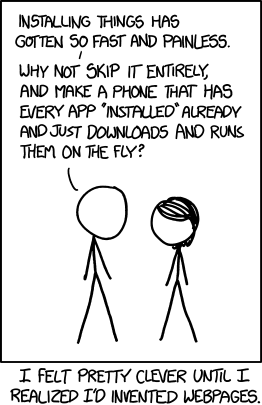
Does it have to be an actual Android app? Could it be packaged as a progressive web app instead? If so, that might be the best way to achieve what you are looking for. Participants can just follow a link to your app's website which can prompt them to "Pin to Home Screen". That gives them an "app-like" experience where you can easily and quickly push updates without worrying about the Play Store or other app distribution techniques.


He says the app requires lots of permissions. Most likely you can't get the desired data in a PWA


There are a lot of things you can get access to in the browser. I'd be surprised if more was needed.


I have been distributing a pornographic Android app on the web since 2017 and there are no difficulties.

Simply put the APK on a webpage and link to some instructions for installing an untrusted APK. For example, see http://driftwheeler.com

In particular, look at the "Can't install?" link.

If people really want to use your app, they will gladly do a little work to install it.


F-Droid is your best bet. It is pretty much the only viable alternative for those that wish to avoid Google services for privacy.


> for privacy.

While I agree with your statement, this isn't what OP is concerned about.


On F-Droid, there is an app FFUpdater. It checks for new apk versions of various forks of Firefox and updates them (automatically or by notifs, user preference).

I guess you could fork it and change the apk it searches for - you'd end up with something exactly like what you want. N.b. i haven't looked at the code, maybe it's a rats' nest. But i'm optimistic given the simple domain. :)


Microsoft App Center: You can upload your APKs to MS App Center and create a link without login requirements. The additional Distribute SDK will notify users about new app updates when the app is running. You could probably setup an own repeating update task which checks if updates are available. Apparently you can have up to 2000 users in one app version release.

https://docs.microsoft.com/en-us/appcenter/sdk/distribute/an...

Firebase App Distribution: Pretty much the same like MS App Center but from Google. You can upload APKs and App Bundles and create public invitation links. The firebase SDK handles app updates as well. You can have up to 200 testers in one distribution.

https://firebase.google.com/docs/app-distribution?hl=en

If I recall correctly, MS App Center doesn't come with analytics unless you add it yourself. For firebase, you should explicitly disable analytics if you don't want it.

In both cases you will still have to explain to your users how to allow installation of "apps from unknown sources".


If you able / willing to enroll the devices in Intune you can use Azure App Center to deploy and update Android apps without the play store.


We use both appcenter.ms and the internal test track features of the Play Store. On boarding an external user into appcenter takes a few more emails/clicks but they both accomplish similar use cases for us.


There is a small caveat to that as I mentioned app center requires you to enroll the devices into Intune which is the Microsoft MDM which might not be possible to do in all cases.

If that is an option that is agreeable to you and your users then using app center does provide a better experience than Google Play in my opinion.


I work on a product called smartomix.com part of the doc.ai (recently acquired by Sharecare). We help researchers do just this. DM if you think this would be useful for you.


Thanks!

How would I go about DM'ing you? Also, do you require apps to be created using your tools or do you support apps developed independently?


Hello, have you considered setting up a good MDM (mobile device management) software? We use TELELOGOS CLYD (https://www.telelogos.com/en/solutions/clyd-mobile-device-ma...) for all of our APK installation/monitoring/log captures needs.


Couldn't you just add the adults as testers to the Google Play app, avoiding oversight?

The problem with breaking off from Google Play is you lose the ability to send push notifications.

You could look at Code Push [0] for seamless updates. TBH its not the easiest to integrate with.

[0] - https://microsoft.github.io/code-push/


Thanks for the suggestion!

I have looked into it and it seems that even internal testing apps have to pass Play's content review [1]. I will check out Code Push / App Center.

1. https://stackoverflow.com/questions/64296562/google-play-con...


> The problem with breaking off from Google Play is you lose the ability to send push notifications.

Or you could go with Gotify-UP.

https://unifiedpush.org/users/distributors/gotify/


for a similar project, I have successfully used: https://github.com/SimonMarquis/InternalAppStore

The Github page explains in detail how to set it up, and for the described use case you should stay within the Firebase free tier limit.


While I haven’t tried it, does anyone know if Firebase can be used to update apps that are not on the Google Play Store?

I know Firebase can handle app updates quite well and wonder if this avenue might be an option.


Firebase App Distribution can work for this, except a) you would need to manually invite all 50 testers via their emails and b) updates aren't installed automatically - the user must download the update themselves (either via an email notification link which takes them to the App Tester web UI, or they can download the App Tester app itself).

The first part probably isn't an issue, but depending on how non-technical your users are, getting them to successfully install it and then manually retrieve updates may be a bumpy ride (I'm thinking back to what I read about the Iowa Caucus disaster).


> The most important features are the ability to quickly and reliably deliver app updates over one year, safety, affordability, and good UX (participants are non-technical Android users). I don't want to use Google Play Store.

Unfortunately, Google hinders the competition when it comes to reliable automatic upgrades on Android. Third-party app stores cannot implement automatic upgrades or background upgrades, only the Play Store can. The exceptions are if your device is rooted or you had the app store baked into your vendor's ROM. Supposedly this design choice was somewhat addressed in Android 12.

> I have also tried F-Droid, but at least on my Pixel 2 XL, updates of some apps downloaded from F-Droid often fail to install.

This will happen if you try to use F-Droid to upgrade or reinstall apps you already have installed, but didn't originally install via F-Droid. Fresh installs from F-Droid seem to work for me.

> To give you some context, for my dissertation project, I need to collect data using a custom Android research app installed on participants' phones for one year. The app requires a lot of permissions and continuously collects a lot of data. My colleagues discouraged me from using Play Store because Google banned their apps for no good reason and with no recourse, even though their research was approved by research ethics and human subject protections committees (IRB). This jeopardized their federally-funded studies and caused issues with their findings.

This is a good example of how Google's anti-competitive actions, when it comes to their mobile OS and mobile app distribution, hinder innovation, research and the advancement of knowledge.

If you have time, or your colleagues do, please consider reporting this to the competition and antitrust divisions of the government. I've posted about the relevant regulatory and investigative bodies and how to get in touch with them here[1]. Here's what the Antitrust Division of the Justice Department says about reporting[2]:

> Information from the public is vital to the work of the Antitrust Division. Your e-mails, letters, and phone calls could be our first alert to a possible violation of antitrust laws and may provide the initial evidence needed to begin an investigation.

[1] https://news.ycombinator.com/item?id=28176193

[2] https://www.justice.gov/atr/report-violations


> participants are non-technical Android users

> I don't want to use Google Play Store.

These requirements are likely in conflict


I am working on a Google Play Store alternative, maybe we can try to find a solution together, you can contact me: 500zqm6l0 at mozmail.com


Try the web.


Amazon Appstore


Guidelines | FAQ | Lists | API | Security | Legal | Apply to YC | Contact

Search: